Plinklet
A little screen on a child’s shelf that shows how close they are to their savings goal, with a parent app to log the money.
- Role
- Founder / Product Designer
- Stage
- Working prototype, waitlist open
- Product
- Wi-Fi display and parent app
- Scope
- Research, product, pixel art, app and device
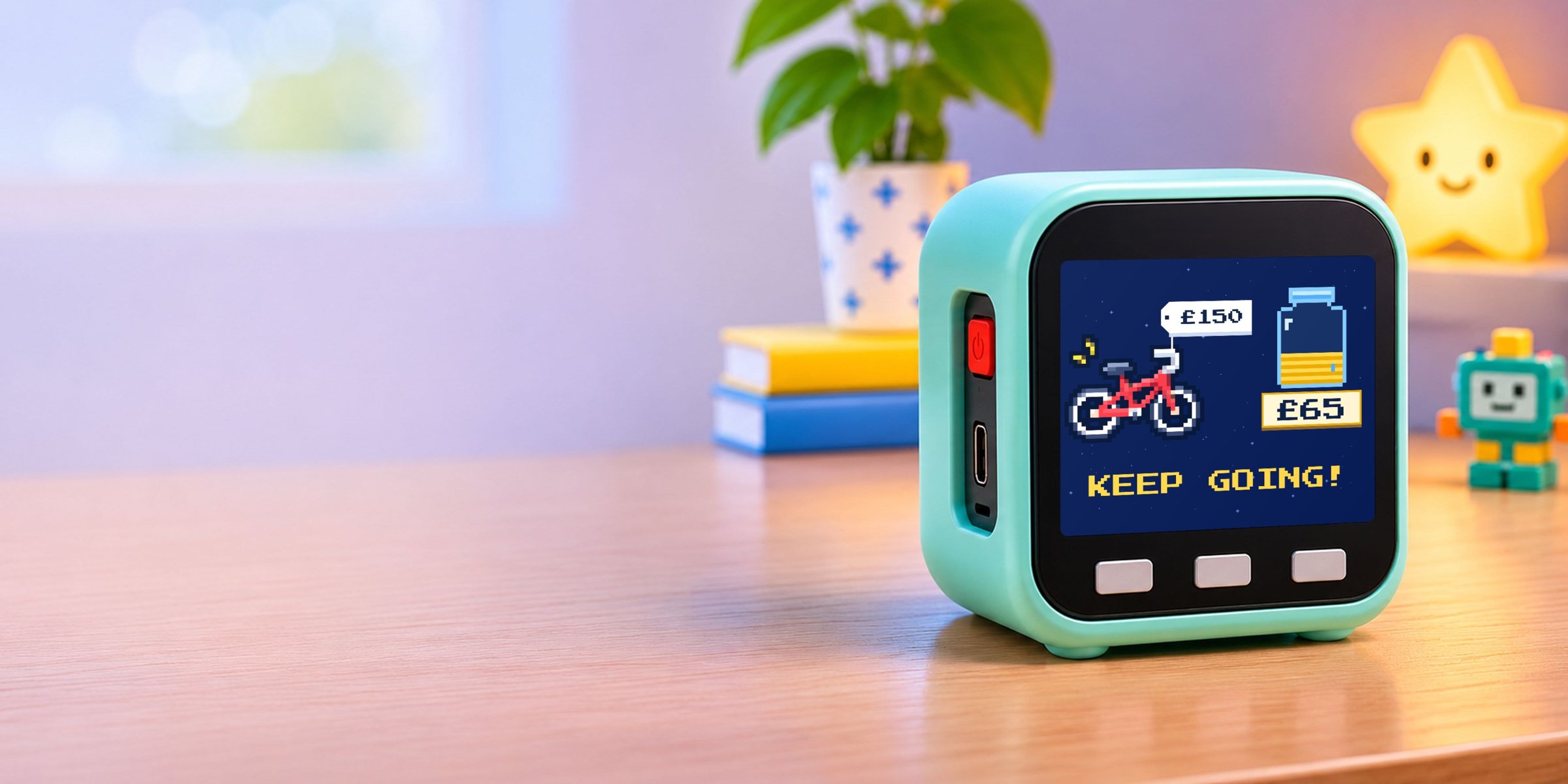

Daddy, have I got enough for it yet?
Every few days, in my house
“Not yet” teaches nothing
My kids save birthday and pocket money into an account I look after. When they asked how close they were, I’d open my banking app, scroll past my own bills and give the same answer: not yet. It closed the conversation, and I wasn’t going to hand a seven-year-old my banking app to see for themselves.
So Plinklet had to be
- VisibleProgress a child can see for themselves, without asking.
- CountableA jar and blocks a five-year-old can count, not percentages.
- SafeIt only shows. It can’t move money and never touches the bank.
Seeing the price changes the question
I started at home, watching what happened around the question, then looked at what families use today.
What I found
- Children need to see itKids save towards something real, but their money lives in a parent’s account. Without seeing it, “not yet” is all they get.
- Today’s tools add a screenPocket-money apps and kids’ cards give children their own app or card: more scrolling, and real money in small hands.
- A goal turns wanting into planningOnce a child can see the price beside their jar, they ask what jobs they could do, and work out that £5 a week gets them there by spring.
One big button, one picture to count
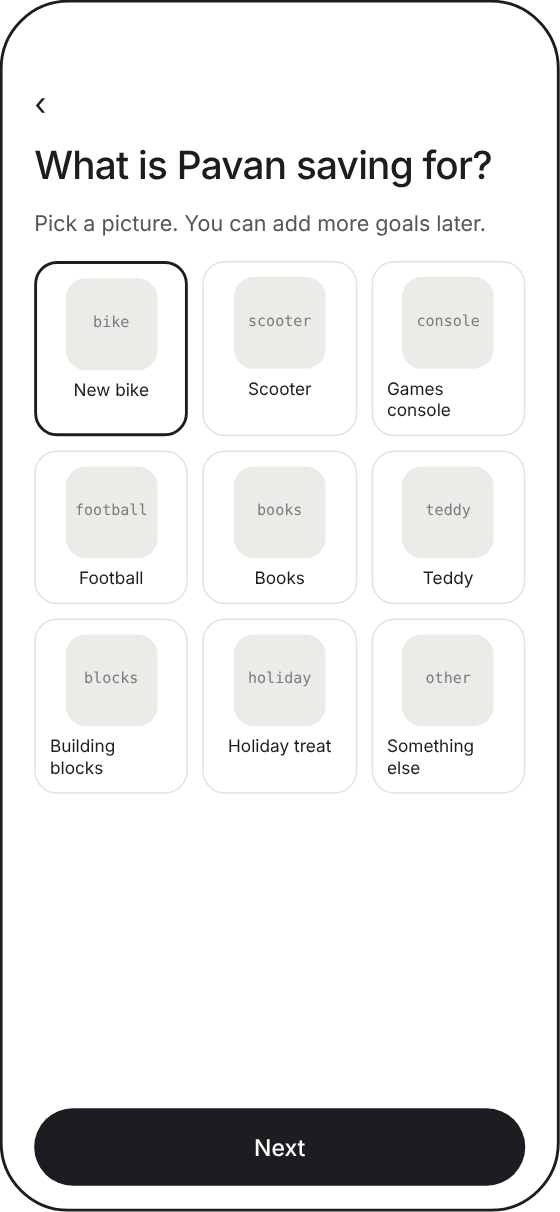
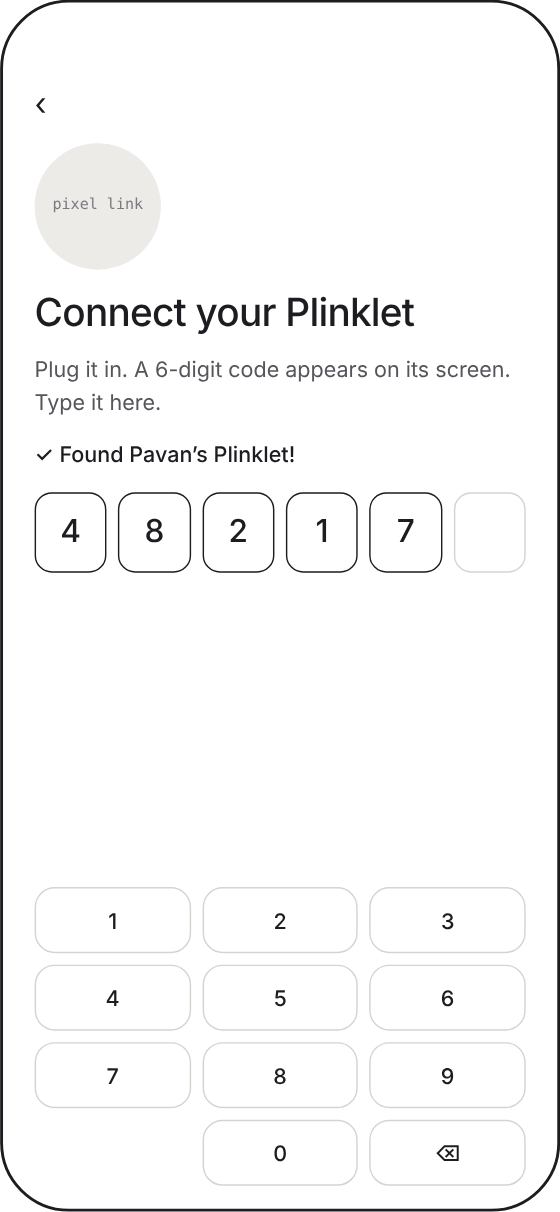
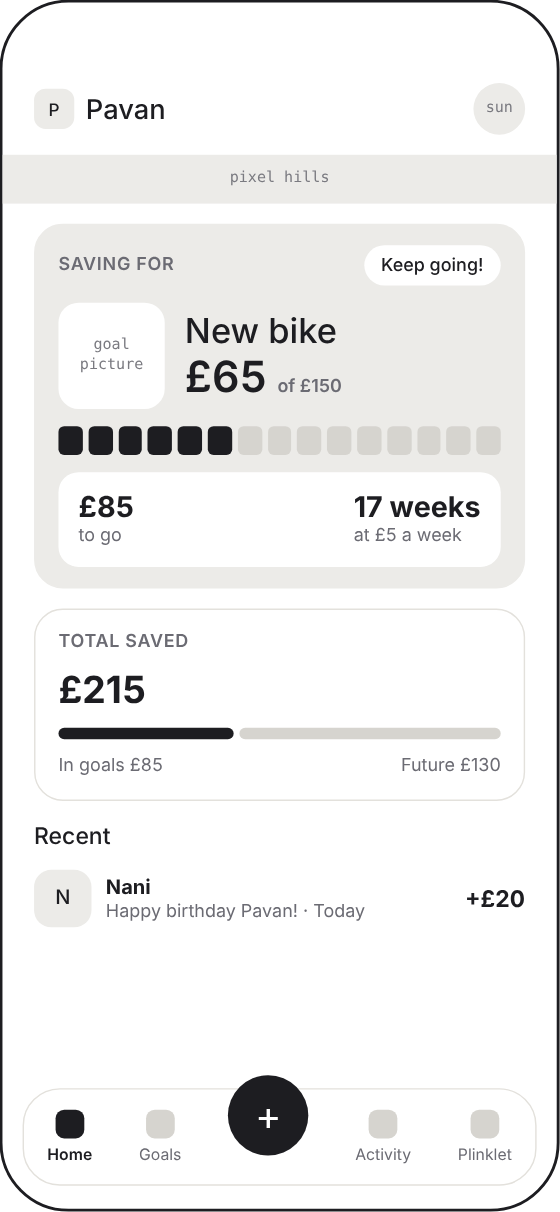
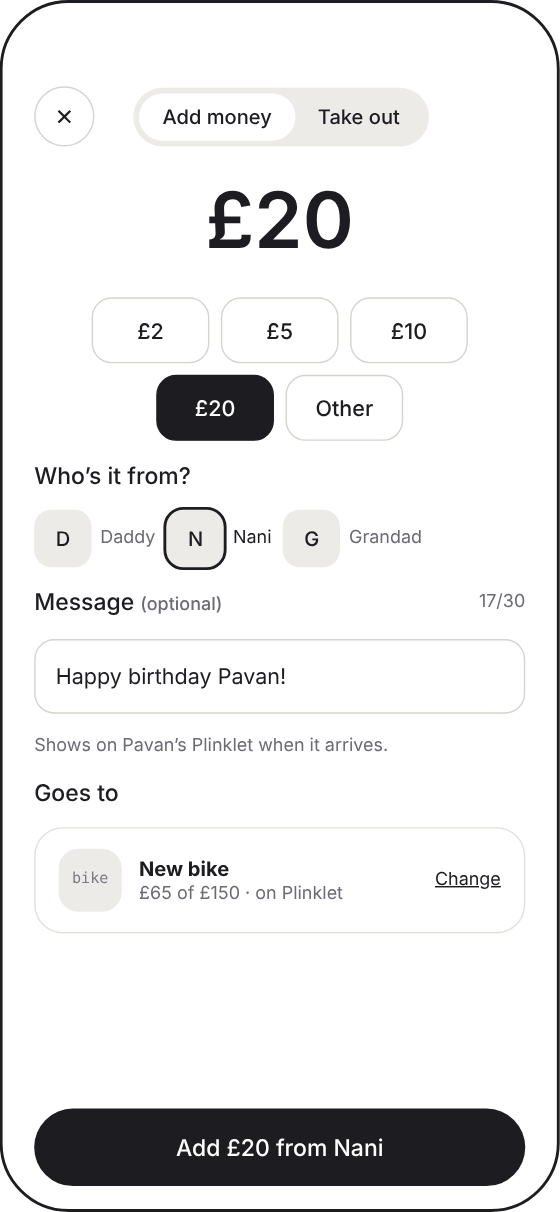
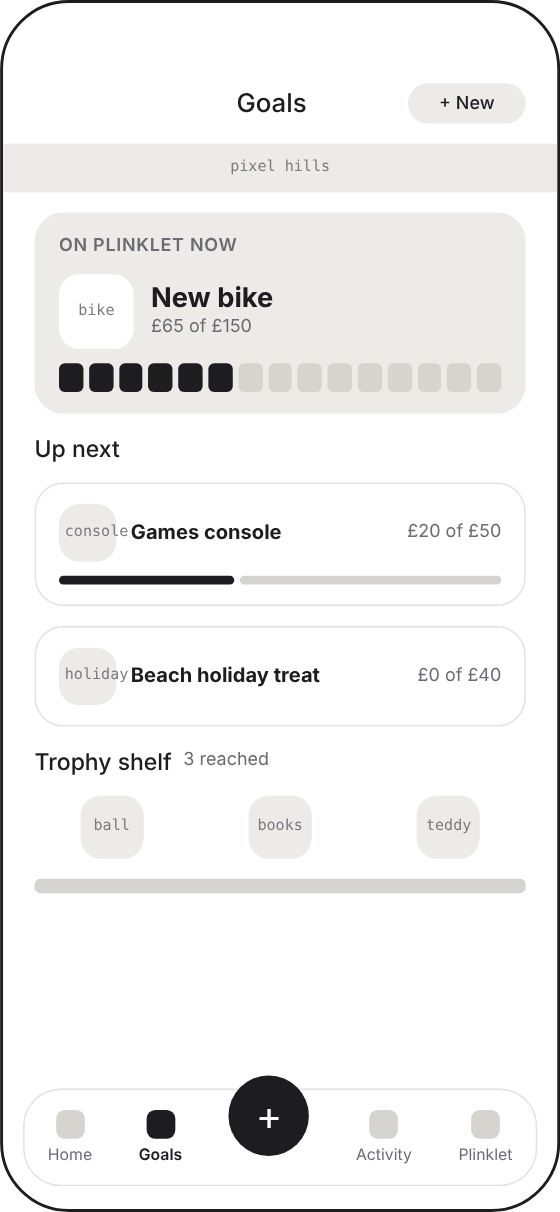
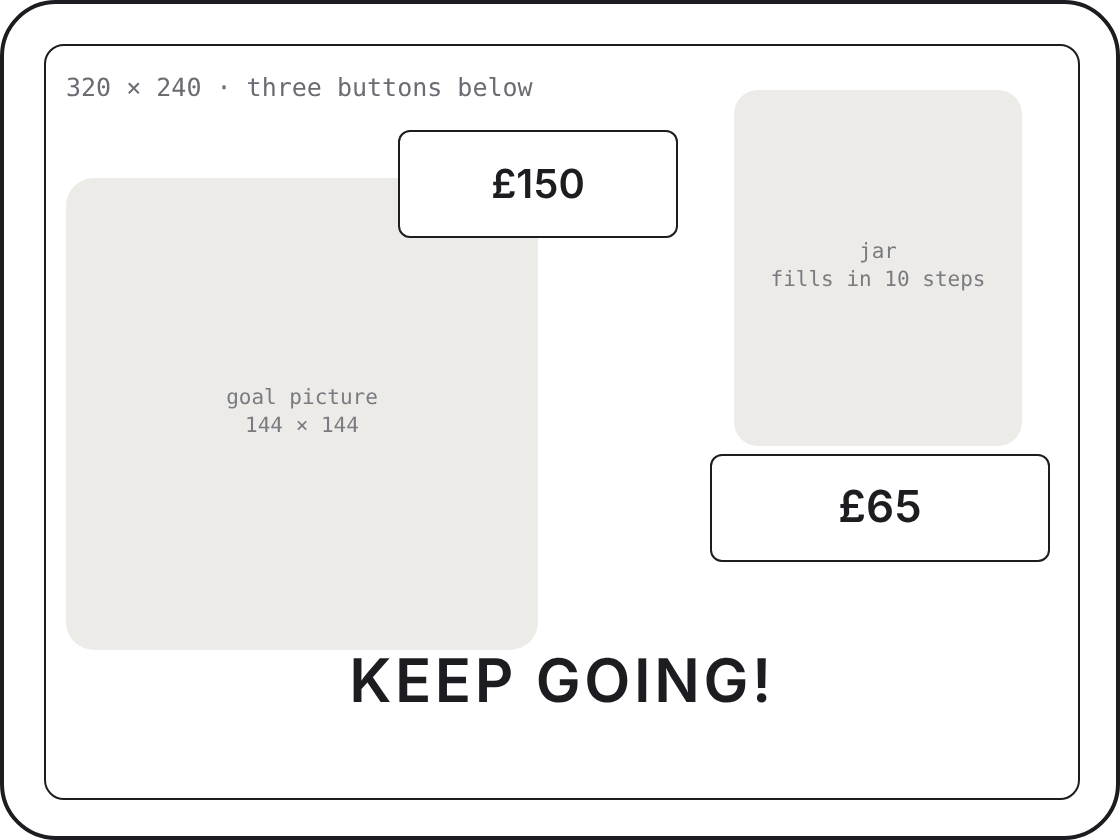
I designed the experience before any hardware. Parents need one big button to add money. Children need one picture and something to count. The app and the device screen were wireframed together, as two halves of one thing.
Scroll sideways for more
Pixel art that ties the phone to the shelf
The device screen is only 320 × 240 pixels, so I leaned into it. Every goal has a pixel picture in one family: navy outline, flat colour, a few sparkles. The same pictures run on the device and in the app, so it all feels like one product.
Colour
- Navy
#0b1f44 - Paper
#fafbff - Coin gold
#ffd447 - Blue
#0a6fd6 - Coral
#ff7a73
Type
- AaNunitoApp
- AaPress Start 2PDevice
Voice
HALFWAY!
50% complete
Cheers a child can read, the same on the phone and on the shelf.
 New bike
 Scooter
 Games console
 Football
 Books
 Teddy
 Building blocks
 Holiday treat
 Skateboard
 Tablet
 Art supplies
 Pet
 Instrument
 Theme park
 Birthday
- New bike
- Scooter
- Games console
- Football
- Books
- Teddy
- Building blocks
- Holiday treat
- Skateboard
- Tablet
- Art supplies
- Pet
- Instrument
- Theme park
- Birthday
The jar fills in ten steps
 £0Let’s go!
 £30Keep going!
 £75Halfway!
 £120Nearly there!
 £150You did it!
Tap add on the phone. The shelf celebrates.
Plinklet runs on an off-the-shelf M5Stack Core: an ESP32 with a 320 × 240 screen, Wi-Fi, three buttons and a speaker. No microphone, no camera. The app and the device never talk directly: money logged on the phone goes online, and Plinklet picks it up over Wi-Fi. Have a go.

The buttons on the Plinklet work too: press the left one to see how much more, or to skip a celebration.
New money reaches the Plinklet in about 15 seconds, tested on the real device.
Plus a speaker for the jingle. Nothing else to break.
The screen sleeps, so it never becomes something to stare at.
Everything a parent needs, nothing to fiddle with
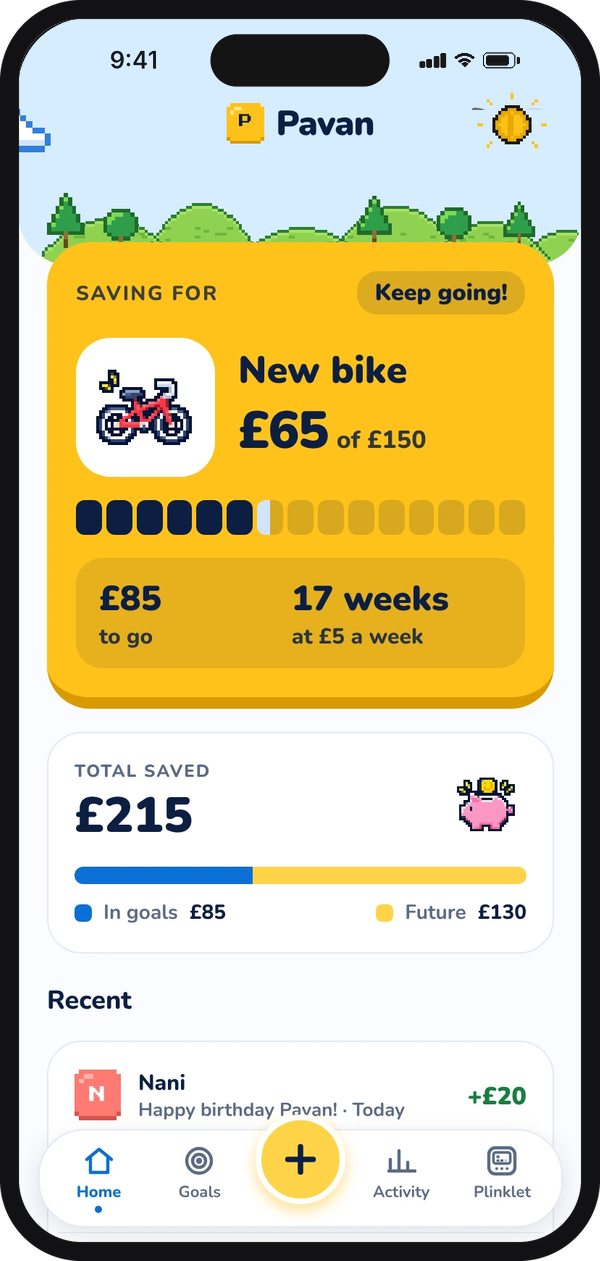
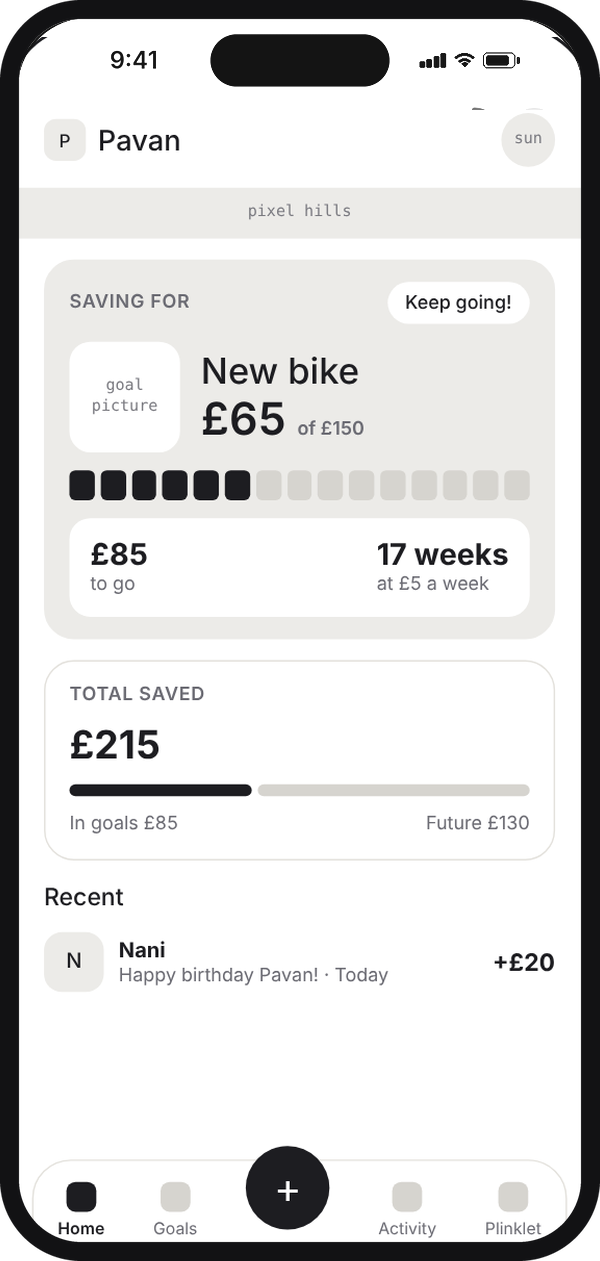
The goal on Plinklet right now, how much is saved, and the latest gift.
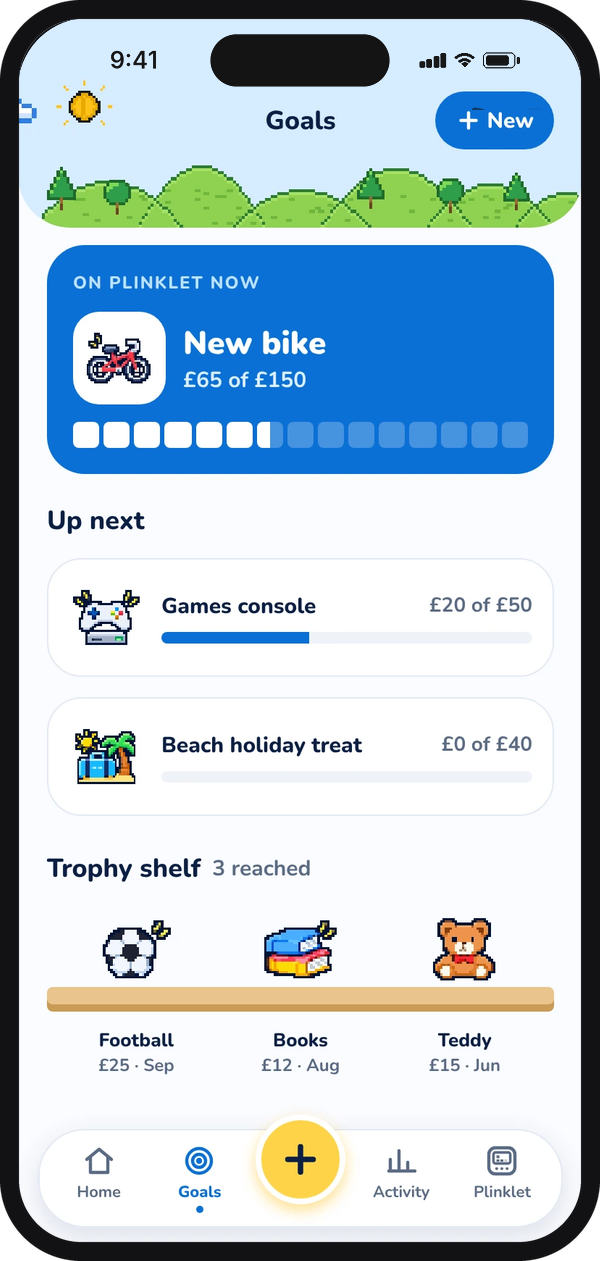
What’s on Plinklet, what’s up next, and a trophy shelf of goals reached.
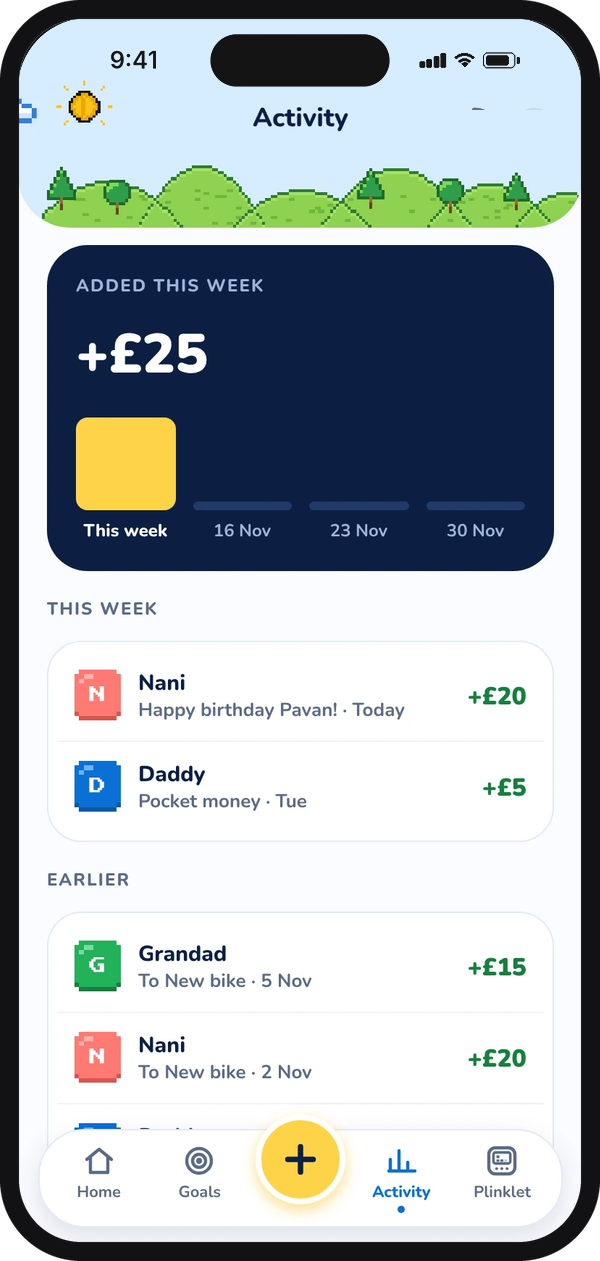
Every amount added, who it came from, and this week at a glance.
A designer, a dev board and an AI partner
- Design firstScreens, pixel art and the jar came before any code, with blocks instead of percentages.
- Off-the-shelf hardwareAn M5Stack Core instead of a custom circuit board, so the idea could be tested quickly.
- Build with ClaudeI brought the designs and the decisions. Claude helped build the parent app, the small online service behind it and the device code.
- Test on the real thingWi-Fi setup, pairing, standby and new money arriving, all checked on the Plinklet on my kids’ shelf.
I design products for a living. I don’t write firmware. Working with Claude took Plinklet from a kitchen-table idea to a working product.